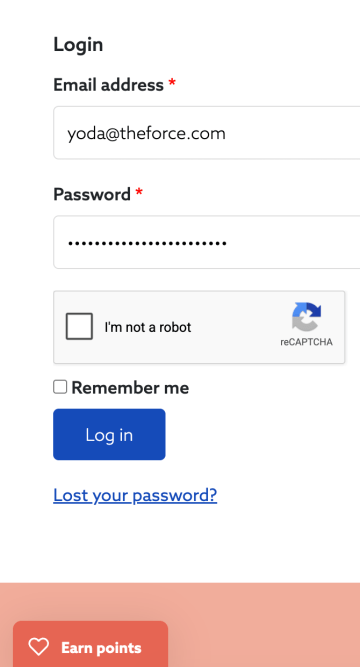
Once logged in, click the Earn Points tab on the bottom of our website to open the Loyalty Portal.
The loyalty portal should open up and look something like the image below.
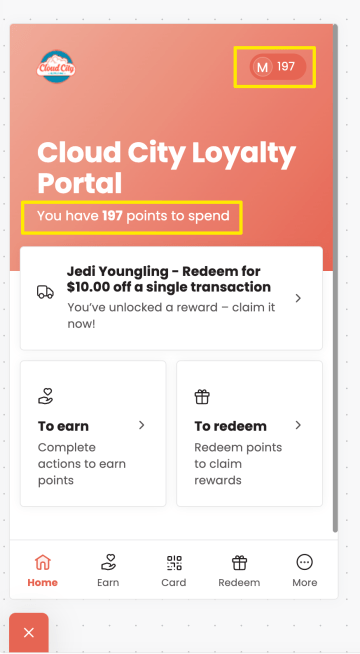
Your points will be displayed on the home tab in the top right and under the welcome message – see below in yellow.
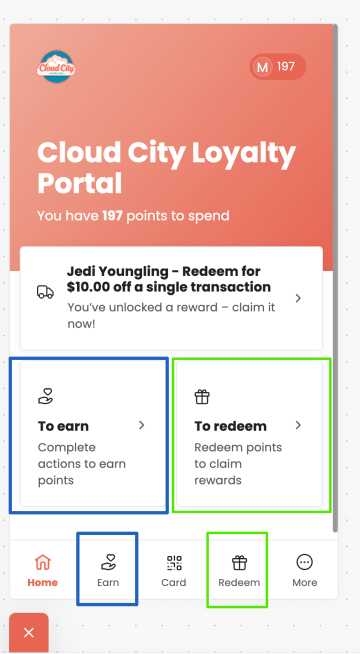
Click the Earn actions to view how you can earn more points (blue boxes).
Click the Redeem actions to redeem the points you earned (green boxes).
How to Enroll and Access your Points
If you’ve made an account on our website already, you’re enrolled. No need to do anything else.
If you’ve already enrolled in our loyalty program in-store, you’re already enrolled. To view and redeem your points online, simply register or log in.
Don’t know your password and need help? Reset your password.
Still stuck? Contact us for help!